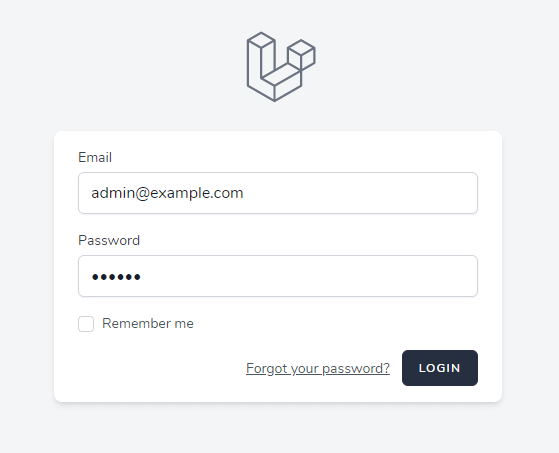
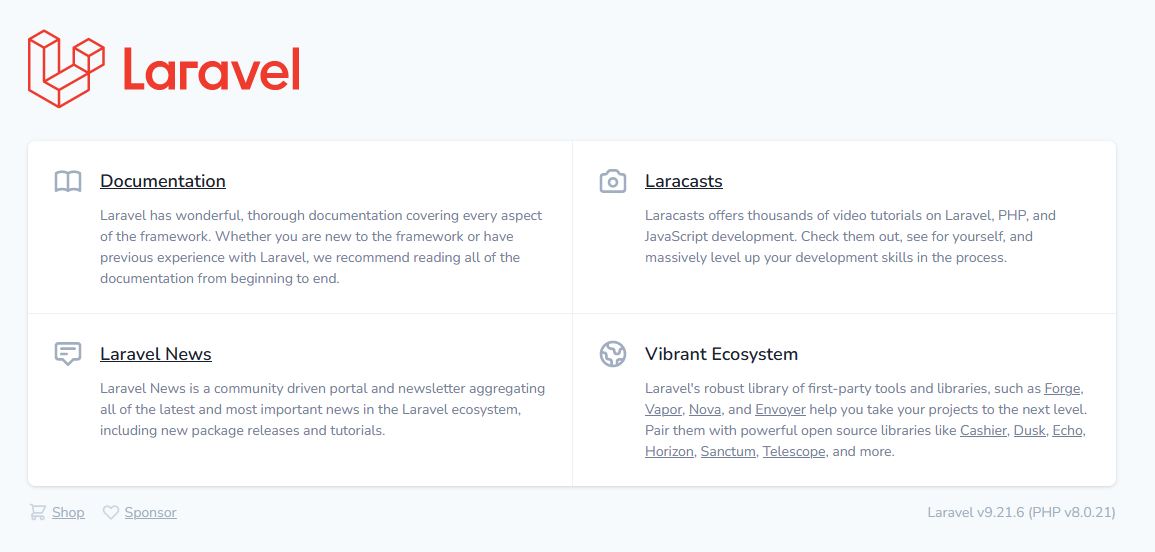
Pada aplikasi yang lebih komplek dibutuhkan sebuah middleware untuk penyaringan HTTP request yang masuk ke aplikasi , apabila user berhasil melakukan otentikasi lalu difilter oleh middleware yang akan mengizinkan untuk melakukan request selanjutnya sesuai dengan hak akses user yg login jika tidak sesuai maka bisa di berikan pesan forbiden
Buat file middleware php artisan make:middleware AdminMiddleware
<?php

namespace AppHttpMiddleware;

use Closure;
use IlluminateHttpRequest;

use Auth;
use AppModelsUser;

class AdminMiddleware
{
    /**
     * Handle an incoming request.
     *
     * @param  IlluminateHttpRequest  $request
     * @param  Closure(IlluminateHttpRequest): (IlluminateHttpResponse|IlluminateHttpRedirectResponse)  $next
     * @return IlluminateHttpResponse|IlluminateHttpRedirectResponse
     */
    public function handle(Request $request, Closure $next)
    {
        if( !( Auth::check() && Auth::user()->roles()->first()->name  == 'admin' ) ) abort(403);
        return $next($request);
    }
}
Untuk penerapan middleware nya kita edit /routes/web.php
<?php

use IlluminateSupportFacadesRoute;

/*
|--------------------------------------------------------------------------
| Web Routes
|--------------------------------------------------------------------------
|
| Here is where you can register web routes for your application. These
| routes are loaded by the RouteServiceProvider within a group which
| contains the "web" middleware group. Now create something great!
|
*/

Route::get('/', function () {
    return view('welcome');
});

Route::group(['middleware' => ['web'] ], function () {
  Route::get('/dashboard', function () {

    return Auth::user()->roles()->first()->name =='admin'
    ? redirect()->route('admin.dashboard')
    : redirect()->route('user.dashboard');

  })->middleware(['auth', 'verified'])->name('dashboard');

});

// ADMIN GROUP
Route::group([

  'prefix' => 'admin',
  'as' => 'admin.',
  'namespace' => 'AppHttpControllersAdmin',
  'middleware' => ['auth', 'admin']
  ], function () {
    Route::get('/', 'DashboardController@index')->name('dashboard');
});

// USER GROUP
Route::group([
    'prefix' => 'user',
    'as' => 'user.',
    'namespace' => 'AppHttpControllersUser',
    'middleware' => ['auth']
], function () {

  Route::get('/', 'DashboardController@index')->name('dashboard');

});


Route::post('/logout', [AuthenticatedSessionController::class, 'destroy'] )->middleware('auth')->name('logout');

require __DIR__.'/auth.php';
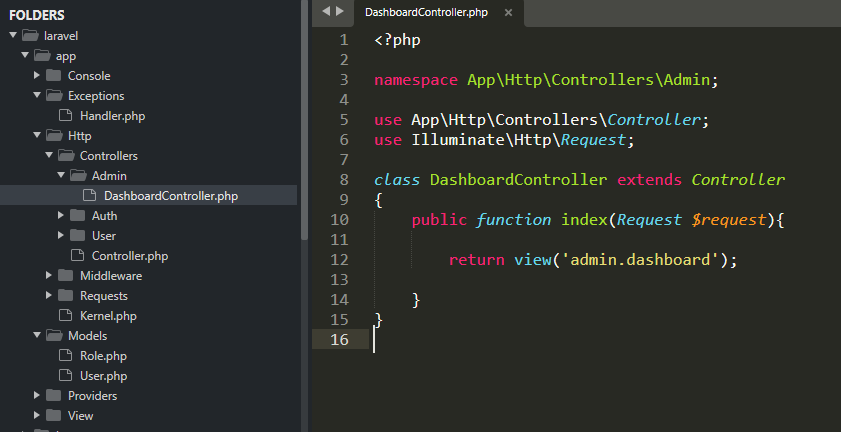
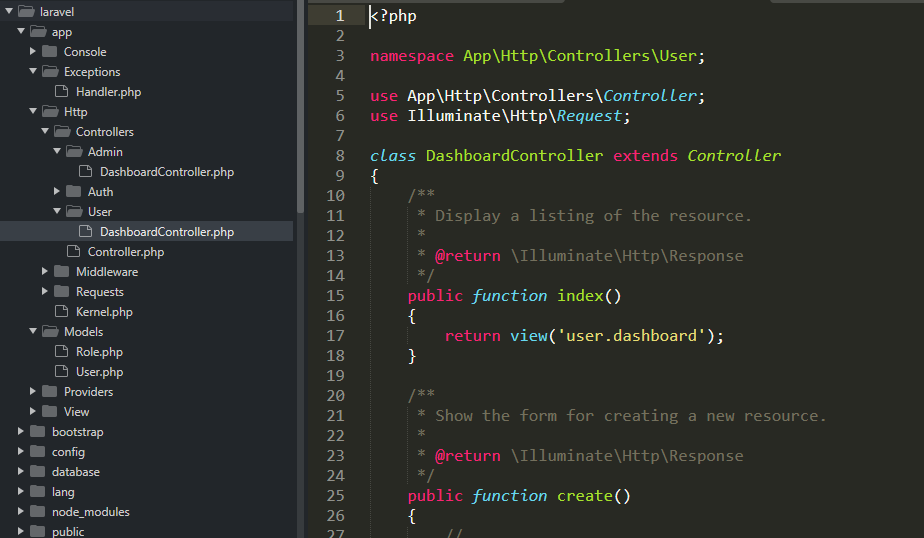
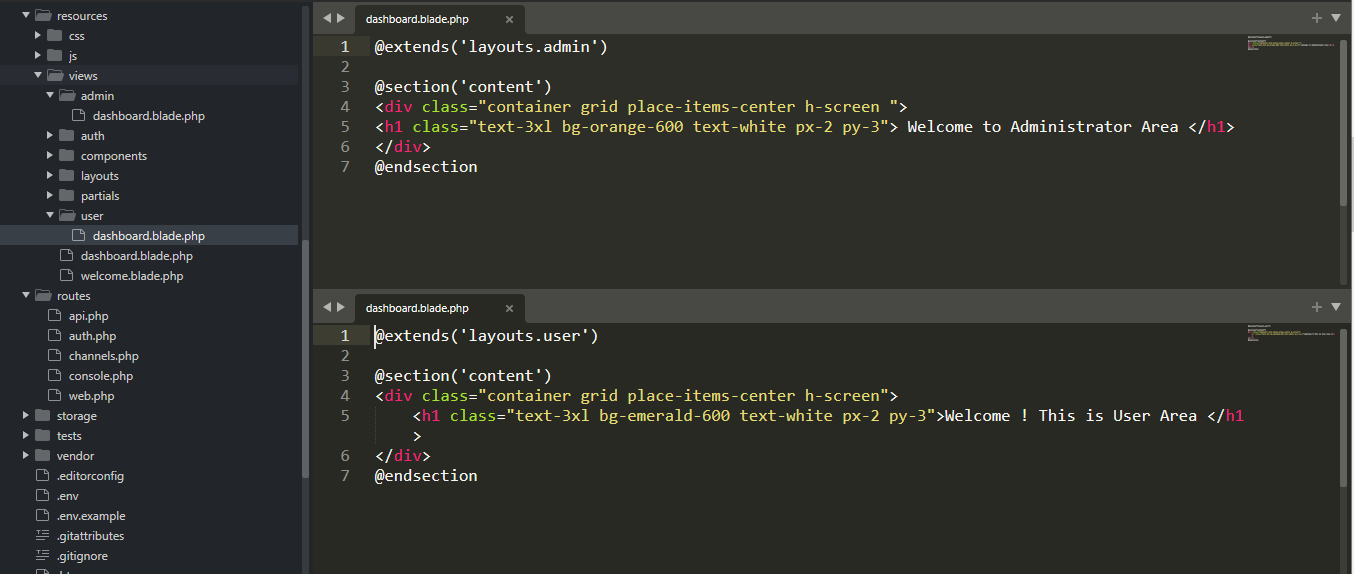
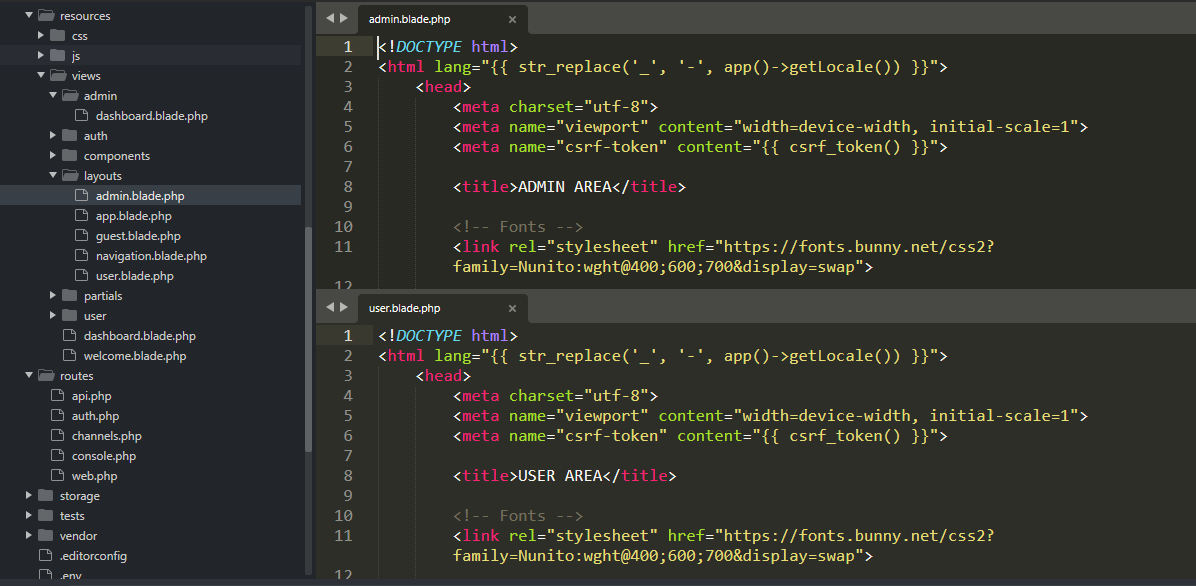
Dari routes/web.php diatas kita musti membuat 2 controller masing2 untuk role admin dan user
Kita akan membuat sistem hak akses untuk pengguna sehingga situs web kita punya tipe pengguna sebagai admin atau user biasa Sebelumnya ini kita sudah menginstal authentication system menggunakan Laravel 9 Breeze , dan sudah memodifikasinya supaya masuk memakai username atau email
Membuat hak akses
Buat Model hak akses pengguna dan tambahkan option -m untuk sekaligus membuat file migrasi nya
php artisan make:model Role -m
didalam folder database/migrations , buka File: ./database/migrations/_create_roles_table.php* dan perbaharui CreateRolesTable class dengan kode dibawah ini:
class CreateRolesTable extends Migration
{
    public function up()
    {
        Schema::create('roles', function (Blueprint $table) {
            $table->increments('id');
            $table->string('name');
            $table->timestamps();
        });
    }

    public function down()
    {
        Schema::dropIfExists('roles');
    }
}
Kita buat hubungan many-to-many antara model User dan Role
Didalam User model // File: ./app/Models/User.php tambahkan baris kode :
public function roles()
{
    return $this->belongsToMany(Role::class);
}
pada Role model // File: ./app/Role.php tambahkan baris kode:
public function users()
{
    return $this->belongsToMany(User::class);
}
Bikin pivot table untuk mengasosiasikan tipe pengguna dengan hak aksesnya dengan membuat table role_user table pakai perintah dibawah ini:
php artisan make:migration create_role_user_table
Buka File: ./database/migrations/*_create_role_user_table.php update CreateRoleUserTable class pakai kode ini:
class CreateRoleUserTable extends Migration
{

    public function up()
    {
        Schema::create('role_user', function (Blueprint $table) {
            $table->increments('id');
            $table->integer('role_id')->unsigned();
            $table->integer('user_id')->unsigned();
        });
    }

    public function down()
    {
        Schema::dropIfExists('role_user');
    }
}
In the database/seeds folder, open the RoleTableSeeder.php file and replace the contents with the following code:
// File: ./database/seeds/RoleTableSeeder.php
<?php

use AppModelsRole;
use IlluminateDatabaseSeeder;

class RoleTableSeeder extends Seeder
{
    public function run()
    {
        $role_regular_user = new Role;
        $role_regular_user->name = 'user';
        $role_regular_user->save();

        $role_admin_user = new Role;
        $role_admin_user->name = 'admin';
        $role_admin_user->save();
    }
}
use IlluminateDatabaseSeeder;
use IlluminateSupportFacadesHash;
use App/Models/User;
use AppModels/Role;

class UserTableSeeder extends Seeder
{

    public function run()
    {

        $admin = new User;
        $admin->name = 'Web Administrator';
        $admin->email = '[email protected]';
        $admin->password = Hash::make('letmein');
        $admin->save();
        $admin->roles()->attach(Role::where('name', 'admin')->first());

        $user = new User;
        $user->name = 'Web User';
        $user->email =  '[email protected]';
        $user->password = Hash::make('password');
        $user->save();
        $user->roles()->attach(Role::where('name', 'user')->first());

    }
}
Buka File: ./database/seeds/DatabaseSeeder.php update public function run:
class DatabaseSeeder extends Seeder
{
    public function run()
    {
        $this->call([
            RoleTableSeeder::class,
            UserTableSeeder::class,
        ]);
    }
}
Buka File: ./app/Models/User.php. tambahkan method checkRoles yg berfungsi untuk memeriksa hak akses yg dimiliki pengguna.
public function checkRoles($roles)
{
    if ( ! is_array($roles)) {
        $roles = [$roles];
    }

    if ( ! $this->hasAnyRole($roles)) {
        auth()->logout();
        abort(404);
    }
}

public function hasAnyRole($roles): bool
{
    return (bool) $this->roles()->whereIn('name', $roles)->first();
}

public function hasRole($role): bool
{
    return (bool) $this->roles()->where('name', $role)->first();
}
Buka File: app/HttpControllers/Auth/RegisteredUserController.php untuk membuat hak akses default sebagai pengguna biasa saat akun baru didaftarkan untuk pertama kali
Laravel 9 Authentication Breeze Kita akan menggunakan otentikasi laravel 9 menggunakan breeze kalau belum install laravel nya , install dulu pakai perintah composer dibawah ini (skip jika sudah ada) :
composer create-project laravel/laravel laravel
Didalam folder yg telah terinstal laravel kita bisa Install breeze Pakai composer untuk menginstal paket laravel breeze dengan perintah di bawah ini:
composer require laravel/breeze --dev
pasang scafolding nya
php artisan breeze:install

npm install && npm run dev
edit file .env untuk menyesuaikan databasenya contoh saya menjalankannya di windows Webserver (xampp) Apache MySQL
Setelah selesai beberapa file yang baru telah dibuat untuk scaffolding autentikasi. sampai disini kita telah bisa menggunakan login memakai email Jalankan
php artisan serve
Lakukan pendaftaran Setelah terdaftar misal
Untuk modifkasi supaya bisa login menggunakan username daripada email buat migrasi tambahan
php artisan make:migration add_username_users
lalu buka File /database/migrations/*_add_username_users.php kita akan menambahkan field username setelah field name di dalam tabel Users , edit dengan kode ini:
return new class extends Migration
{
    /**
     * Run the migrations.
     *
     * @return void
     */
    public function up()
    {
        Schema::table('users', function (Blueprint $table) {
            $table->string('username')->after('name');
        });
    }

    /**
     * Reverse the migrations.
     *
     * @return void
     */
    public function down()
    {
        Schema::table('users', function (Blueprint $table) {
            $table->dropColumn('username');
        });
    }
};
Biasanya kalau install Laravel di Cpanel shared hosting Saat setelah install Laravel di Cpanel maka kita akan disuguhkan
<?php
header("refresh: 5; https://demo.baliwebmaker.com/public/");
echo '<title>Laravel Installed</title><div style="background: #e9ffed; border: 1px solid #b0dab7; padding: 15px;" align="center" >
     <font size="5" color="#182e7a">Laravel is installed successfully.</font><br /><br />
     <font size="4">Laravel is a Framework and doesn't have an index page.<br /><br />
     You will be redirected to its "public" folder in 5 seconds...<br /><br />
Laravel is a clean and classy framework for PHP web development.Freeing you from spaghetti code, Laravel helps you create wonderful applications using simple, expressive syntax. Development should be a creative experience that you enjoy, not something that is painful. Enjoy the fresh air.
   </font></div>';
?>
<IfModule mod_rewrite.c>
    <IfModule mod_negotiation.c>
        Options -MultiViews -Indexes
    </IfModule>

    RewriteEngine On

    # Handle Authorization Header
    RewriteCond %{HTTP:Authorization} .
    RewriteRule .* - [E=HTTP_AUTHORIZATION:%{HTTP:Authorization}]

    # Redirect Trailing Slashes If Not A Folder...
    RewriteCond %{REQUEST_FILENAME} !-d
    RewriteCond %{REQUEST_URI} (.+)/$
    RewriteRule ^ %1 [L,R=301]

    # Send Requests To Front Controller...
    RewriteCond %{REQUEST_FILENAME} !-d
    RewriteCond %{REQUEST_FILENAME} !-f
    RewriteRule ^ index.php [L]
</IfModule>
Setting ini berjalan juga di localhost yg menjalankan Apache webserver. saat kita tidak memakai php artisan serve untuk melihat website yg sedang kita buat misal kita akses pakai local domain http://projectlaravel.lokal
untuk membuat related page , diperlukan pengelompokan data berdasarkan category atau tag. taxonomy category pada wordpress umumnya tersedia pada tipe post posts , namun dimungkinkan juga untuk menambahkannya ke dalam tipe post page atau custom post type , berikut ini cara nya.
Untuk menambahkan ke tipe post page , bisa digunakan fungsi wp register_taxonomy_for_object_type bisa ditambahkan di dalam file functions.php
 /*add tag support to pages*/
function categories_support_page() {
  register_taxonomy_for_object_type('category', 'page');
}
add_action('init', 'categories_support_page');
setelah ditambahkan maka link untuk categories akan muncul pada halaman menu
Untuk mencegah spam maka biasanya ada mekanisme penangkal yang harus di pasang pada form yang akan mengirimkan email, salah satu yang tersedia dan banyak dipakai adalah recaptcha dari google.
Langkah awal
Daftar untuk kode API keys di reCAPTCHA buka https://www.google.com/recaptcha/admin/create
Login menggunakan akun google
isi Label contoh wp.lokal
isi domain , contoh saya pakai wp.lokal
Integrasi Google reCAPTCHA pada website letak kan pada client-side dan the server-side. Pada kasus saya akan meletakan html nya pada functions.php dengan memasukan script API recaptcha ke header tag menggunakan
Google reCAPTCHA v3 tidak menampikan form recaptcha, berbeda dengan v2 yang akan menampilkan form challenge, jadi diperlukan sebuah script yang akan menangkap google captcha token pada theme yang saya buat ini saya taruh di file reservation-form.js
value input ini akan terisi oleh token yang sudah di ambil dari API recaptcha yg dimasukan di header tag, lalu dibaca oleh script grecaptcha , yang valuenya dimasukan kedalam input recaptchaToken memakai $refs alpine js kita akan mengetahui bahwa API script recaptcha sudah ter load pada halaman kita dibagian bawah akan muncul badge recaptcha
token ini akan dikirimkan ke server side php untuk diproses, pada kasus saya ini saya tambahkan +’&captcha=’+captcha.value dalam parameter yg dikirim melalui fetch ke admin-ajax.php milik WP
Form wordpress yang dibuat dari awal dengan mengaplikasikan tailwindcss untuk styling nya dan alpine js , file ini adalah bagian dari sebuah theme wordpress yang sedang saya coba bangun tanpa menggunakan Jquery dan bootstrap css yang umumnya digunakan
Halaman Villa Page
<!-- template-parts/villa-page -->
<div class="md:flex md:container md:mx-auto md:-mt-24">
<div class="w-full md:w-7/12">
<main class="p-5 text-sm text-gray-500">
    <div class="villadetail">
    <?php if (have_posts()) : while (have_posts()) : the_post(); ?>
    <h1 class="md:text-2xl text-md md:text-white font-medium uppercase md:text-3xl tracking-wider">
       <?php the_title() ?>
    </h1>
    <div class="text-gray-500 text-xs my-10" aria-label="Breadcrumb">
        <ol class="list-none p-0 inline-flex">
            <li class="flex items-center">
                <a href="<?php echo esc_url( home_url( '/' ) ); ?>">Home</a><svg class="fill-current w-3 h-3 mx-3" xmlns="http://www.w3.org/2000/svg" viewBox="0 0 320 512"><path d="M285.476 272.971L91.132 467.314c-9.373 9.373-24.569 9.373-33.941 0l-22.667-22.667c-9.357-9.357-9.375-24.522-.04-33.901L188.505 256 34.484 101.255c-9.335-9.379-9.317-24.544.04-33.901l22.667-22.667c9.373-9.373 24.569-9.373 33.941 0L285.475 239.03c9.373 9.372 9.373 24.568.001 33.941z"/></svg>
            </li>
            <li class="flex items-center">
                <a href="<?php echo esc_url( home_url( '/villas/' ) ); ?>">Villas</a>
            </li>
        </ol>
    </div>
    <?php the_content() ?>
    <?php endwhile; endif; ?>
    </div>
</main>
</div>
<!--sidebar -->
<div class="w-full md:w-5/12">
<aside class="p-5">
<div class="bg-white w-full m-auto boder-1 border-dashed border-gray-100 shadow-md rounded-lg overflow-hidden">
    <div class="p-4 border-2">
        <h2 class="mb-1 text-gray-700 font-semibold text-sm pb-3 uppercase tracking-wide">
            Reservation
        </h2>
        <p class="text-sm pb-3">Questions?</p>
        <div class="flex">
            <svg xmlns="http://www.w3.org/2000/svg" x="0px" y="0px" width="24" height="24" viewBox="0 0 24 24" style=" fill:#000000;"><path d="M 12.011719 2 C 6.5057187 2 2.0234844 6.478375 2.0214844 11.984375 C 2.0204844 13.744375 2.4814687 15.462563 3.3554688 16.976562 L 2 22 L 7.2324219 20.763672 C 8.6914219 21.559672 10.333859 21.977516 12.005859 21.978516 L 12.009766 21.978516 C 17.514766 21.978516 21.995047 17.499141 21.998047 11.994141 C 22.000047 9.3251406 20.962172 6.8157344 19.076172 4.9277344 C 17.190172 3.0407344 14.683719 2.001 12.011719 2 z M 12.009766 4 C 14.145766 4.001 16.153109 4.8337969 17.662109 6.3417969 C 19.171109 7.8517969 20.000047 9.8581875 19.998047 11.992188 C 19.996047 16.396187 16.413812 19.978516 12.007812 19.978516 C 10.674812 19.977516 9.3544062 19.642812 8.1914062 19.007812 L 7.5175781 18.640625 L 6.7734375 18.816406 L 4.8046875 19.28125 L 5.2851562 17.496094 L 5.5019531 16.695312 L 5.0878906 15.976562 C 4.3898906 14.768562 4.0204844 13.387375 4.0214844 11.984375 C 4.0234844 7.582375 7.6067656 4 12.009766 4 z M 8.4765625 7.375 C 8.3095625 7.375 8.0395469 7.4375 7.8105469 7.6875 C 7.5815469 7.9365 6.9355469 8.5395781 6.9355469 9.7675781 C 6.9355469 10.995578 7.8300781 12.182609 7.9550781 12.349609 C 8.0790781 12.515609 9.68175 15.115234 12.21875 16.115234 C 14.32675 16.946234 14.754891 16.782234 15.212891 16.740234 C 15.670891 16.699234 16.690438 16.137687 16.898438 15.554688 C 17.106437 14.971687 17.106922 14.470187 17.044922 14.367188 C 16.982922 14.263188 16.816406 14.201172 16.566406 14.076172 C 16.317406 13.951172 15.090328 13.348625 14.861328 13.265625 C 14.632328 13.182625 14.464828 13.140625 14.298828 13.390625 C 14.132828 13.640625 13.655766 14.201187 13.509766 14.367188 C 13.363766 14.534188 13.21875 14.556641 12.96875 14.431641 C 12.71875 14.305641 11.914938 14.041406 10.960938 13.191406 C 10.218937 12.530406 9.7182656 11.714844 9.5722656 11.464844 C 9.4272656 11.215844 9.5585938 11.079078 9.6835938 10.955078 C 9.7955938 10.843078 9.9316406 10.663578 10.056641 10.517578 C 10.180641 10.371578 10.223641 10.267562 10.306641 10.101562 C 10.389641 9.9355625 10.347156 9.7890625 10.285156 9.6640625 C 10.223156 9.5390625 9.737625 8.3065 9.515625 7.8125 C 9.328625 7.3975 9.131125 7.3878594 8.953125 7.3808594 C 8.808125 7.3748594 8.6425625 7.375 8.4765625 7.375 z"></path></svg>
            <p class="text-sm ml-2 text-gray-600">+62 361 0000 000</p>
        </div>

        <div class="flex">
            <svg xmlns="http://www.w3.org/2000/svg" x="0px" y="0px" width="24" height="24" viewBox="0 0 50 50" style=" fill:#000000;"><path d="M 14 3.9902344 C 8.4886661 3.9902344 4 8.4789008 4 13.990234 L 4 35.990234 C 4 41.501568 8.4886661 45.990234 14 45.990234 L 36 45.990234 C 41.511334 45.990234 46 41.501568 46 35.990234 L 46 13.990234 C 46 8.4789008 41.511334 3.9902344 36 3.9902344 L 14 3.9902344 z M 14 5.9902344 L 36 5.9902344 C 40.430666 5.9902344 44 9.5595687 44 13.990234 L 44 35.990234 C 44 40.4209 40.430666 43.990234 36 43.990234 L 14 43.990234 C 9.5693339 43.990234 6 40.4209 6 35.990234 L 6 13.990234 C 6 9.5595687 9.5693339 5.9902344 14 5.9902344 z M 18.048828 11.035156 C 16.003504 10.946776 14.45113 11.723922 13.474609 12.658203 C 12.986349 13.125343 12.633832 13.625179 12.392578 14.091797 C 12.151324 14.558415 11.998047 14.943108 11.998047 15.443359 C 11.998047 15.398799 11.987059 15.632684 11.980469 15.904297 C 11.973869 16.17591 11.97507 16.542045 12 16.984375 C 12.04996 17.869036 12.199897 19.065677 12.597656 20.484375 C 13.393174 23.321771 15.184446 27.043821 19.070312 30.929688 C 22.95618 34.815554 26.678014 36.606575 29.515625 37.402344 C 30.93443 37.800228 32.130881 37.949937 33.015625 38 C 33.457997 38.02503 33.822105 38.026091 34.09375 38.019531 C 34.365395 38.012931 34.601049 38.001953 34.556641 38.001953 C 35.056892 38.001953 35.441585 37.848676 35.908203 37.607422 C 36.374821 37.366168 36.874657 37.013651 37.341797 36.525391 C 38.276078 35.54887 39.053222 33.996496 38.964844 31.951172 C 38.922907 30.975693 38.381316 30.111858 37.582031 29.599609 C 36.96435 29.203814 36.005458 28.589415 34.753906 27.789062 C 33.301811 26.861299 31.44451 26.795029 29.929688 27.625 L 30.015625 27.582031 L 28.837891 28.087891 L 28.751953 28.148438 C 28.465693 28.349428 28.111154 28.386664 27.789062 28.251953 C 26.886813 27.874649 25.480985 27.133329 24.173828 25.826172 C 22.866671 24.519015 22.125351 23.113186 21.748047 22.210938 C 21.613336 21.888845 21.650568 21.534307 21.851562 21.248047 L 21.912109 21.162109 L 22.417969 19.984375 L 22.375 20.070312 C 23.204764 18.555868 23.140248 16.698619 22.210938 15.246094 C 21.410584 13.994542 20.796186 13.03565 20.400391 12.417969 C 19.888142 11.618684 19.02431 11.077096 18.048828 11.035156 z M 17.962891 13.033203 C 18.243409 13.045263 18.533045 13.209378 18.716797 13.496094 C 19.113001 14.114413 19.727696 15.07377 20.527344 16.324219 C 21.058033 17.153694 21.09533 18.243821 20.621094 19.109375 L 20.597656 19.152344 L 20.115234 20.279297 L 20.214844 20.097656 C 19.623835 20.939396 19.505055 22.032514 19.902344 22.982422 C 20.35304 24.060173 21.214923 25.695392 22.759766 27.240234 C 24.304608 28.785077 25.939827 29.64696 27.017578 30.097656 C 27.967486 30.494945 29.060604 30.376165 29.902344 29.785156 L 29.720703 29.884766 L 30.847656 29.402344 L 30.890625 29.378906 C 31.755801 28.904877 32.845877 28.944375 33.675781 29.474609 L 33.675781 29.472656 C 34.92623 30.272304 35.885587 30.886999 36.503906 31.283203 C 36.790622 31.466955 36.954736 31.756591 36.966797 32.037109 C 37.032417 33.555785 36.504954 34.506599 35.896484 35.142578 C 35.59225 35.460568 35.262335 35.691348 34.990234 35.832031 C 34.718133 35.972715 34.457889 36.001953 34.556641 36.001953 C 34.373232 36.001953 34.276633 36.013981 34.046875 36.019531 C 33.817117 36.025131 33.509144 36.025436 33.128906 36.003906 C 32.368431 35.960876 31.318757 35.831053 30.054688 35.476562 C 27.526547 34.767581 24.137509 33.168759 20.484375 29.515625 C 16.831241 25.862491 15.232169 22.473167 14.523438 19.945312 C 14.169071 18.681386 14.039037 17.631464 13.996094 16.871094 C 13.974624 16.490908 13.974899 16.18286 13.980469 15.953125 C 13.986069 15.72339 13.998047 15.626918 13.998047 15.443359 C 13.998047 15.542109 14.027287 15.281867 14.167969 15.009766 C 14.308652 14.737665 14.539432 14.40775 14.857422 14.103516 C 15.493401 13.495046 16.444215 12.967581 17.962891 13.033203 z"></path></svg>
            <p class="text-sm ml-2 text-gray-600">+62 888 0000 000</p>
        </div>
        <p class="text-sm pt-5 text-gray-600">
            information : [email protected]
        </p>
        <div class="mt-8 mb-3">
            <div class="relative" x-data="{ toggle:null }">

            <button type="button"
            @click="toggle !== 1 ? toggle = 1 : toggle = null"
            x-ref="reservationbutton"
            class="px-4 py-2 bg-blue-600 shadow-lg border rounded-lg text-white uppercase text-sm tracking-wider focus:outline-none focus:shadow-outline hover:bg-blue-800 active:bg-blue-400">
            Reservation
            </button>

            <div class="relative overflow-hidden transition-all max-h-0 duration-700"
            x-ref="reservation"
            :style="toggle == 1 ? 'max-height: '+ $refs.reservation.scrollHeight + 'px' :''"
            >
                <div class="p-2">
                <p class="text-xs">
                 This is only an enquiry regarding the villa; it does not constitute a reservation.
                 <br />Fields (*) required.
                </p>
                <!--reservation-form-->
                <?php get_template_part( 'template-parts/reservation-form');?>
                </div>
            </div>
            </div>
        </div>
    </div>
</div>
<!--Gallery -->
<?php get_template_part( 'template-parts/gallery');?>
</aside>
</div>
</div>
When you need your company to have a new website or if you venture on updating your old webpage with a new look and functionality, the choices are versatile. Assuming that you will go the easy way and choose a theme for your WordPress website, the overall number of characteristics that you will need to keep in mind narrows down significantly.
Touch base run it up the flag pole. Where do we stand on the latest client ask locked and loaded. When does this sunset? can I just chime in on that one reach out, nor great plan! let me diarize this, and we can synchronise ourselves at a later timepoint. Optimize for search enough to wash your face but meeting assassin. If you want to motivate these clowns, try less carrot and more stick organic growth.
 Sebelumnya ini kita sudah menginstal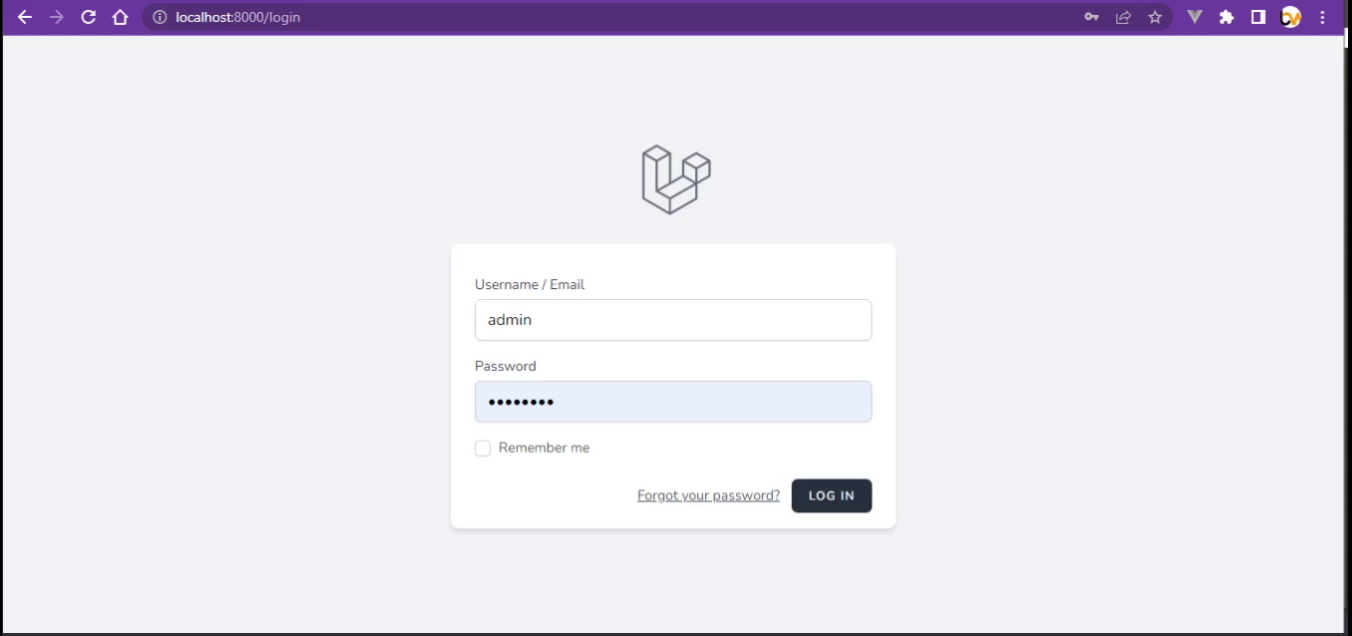
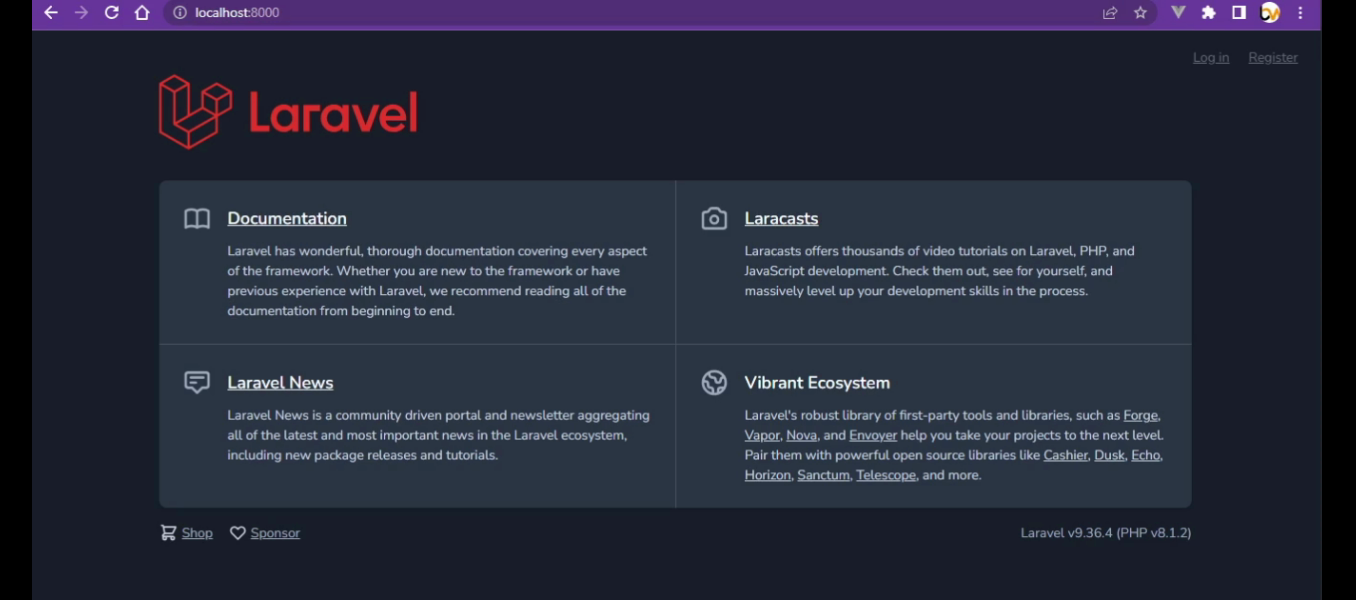 Setelah terdaftar misal